
I'm calling from your bank, install this APK now: How a scammer tried to steal my money and failed
A new banking scam appears to be on the rise, with fraudsters posing as bank officials and asking customers to install APK files sent over WhatsApp. Once installed, these files might drain your bank account.
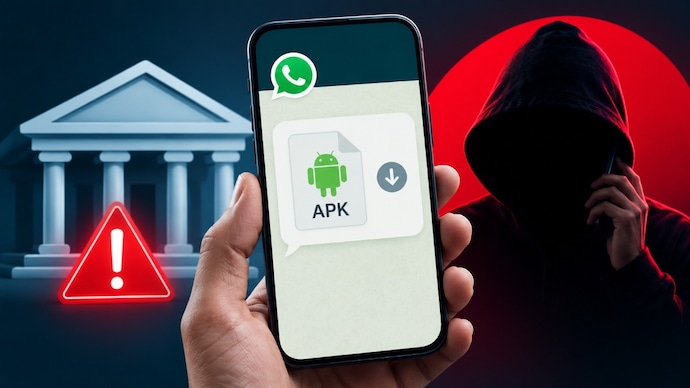

It all starts with a phone call. “Hello, main Gopal bol raha hoon, UCO Bank se. Aapke account ka KYC nahi hua hai. Is process ko urgently complete karna hoga. Main WhatsApp par ek APK file bhej raha hoon. Process shuru karne ke liye use download kar lijiye. (Hello, this is Gopal from UCO Bank. You haven’t completed your KYC. It must be done urgently. I am sending you an APK file over WhatsApp. You are required to install it to start the process).”
Now, getting a call from your bank isn’t obviously new or surprising. Banks may call you from time to time for a bunch of different things, even to sell you on the idea of a new credit card. But sometimes, you may receive a call from someone claiming to be from your bank hoping to scam you. This is precisely what happened with me recently. It is at this point, your sense of mind and awareness can help you, spot and walk away from being tricked. One of the ways scammers may try to fool you is through an APK scam.
The caller on the other end appears calm and confident. Very professional. So much so that you’re likely to give them your full attention. I know I did. Even when this so-called Gopal told me my KYC was due, I heard him, with the kind of seriousness these things usually deserve. An incomplete KYC could be a problem after all even if deep inside I knew, I had completed by KYC a week ago. Maybe I missed something. But then, “Gopal” would go on to tell me about an APK file I must install to start the process and suddenly, all my radars were up.
That was the moment I realised it was a scam. No bank would ask you to install APK files sent over WhatsApp for KYC verification. I immediately disconnected the call without downloading anything and blocked the number.
I forgot about the incident and went on with my life. But a few days later, I received another WhatsApp message, this time claiming to be from the Reserve Bank of India (RBI). Once again, the message was about KYC and instructed me to download an APK file. I blocked the sender without responding once again.
Another number. Another APK file. Fortunately, I realised it was a scam before downloading anything. But everyone may not be so lucky.
A few months ago, my father received a similar call and WhatsApp message asking him to download an APK file for a banking-related process. Curious to know what the bank wanted, he downloaded and installed the file. Soon afterwards, a sum of Rs 21,000 was debited from his bank account. According to him, the transaction took place within seconds, leaving him with almost no time to react. He immediately contacted the bank and later filed a complaint with the police. The case is currently under investigation.
What’s baffling is that my father is not alone to face this. I spoke to a few other people and, to my surprise, several of them said they too had received similar calls or WhatsApp messages in recent weeks.
In short, fraudsters appear to be increasingly using malicious APK files to trick people into compromising their phones. Once installed, these apps can potentially give attackers access to sensitive information and, in some cases, lead to financial fraud.
In fact, several banks have been issuing public advisories warning customers against downloading APK files shared over WhatsApp, SMS or email. The common messages of these banks are simple. No legitimate bank will ask customers to install an APK file to complete KYC or access banking services.
How the APK scam works
Essentially, the scam follows a familiar playbook we have been seeing in cyber fraud cases for a while. These cybercriminals impersonate bank officials or government agencies and create a sense of urgency.
They may claim your KYC has expired, your account will be frozen, or your banking services will be suspended unless you act immediately.
However, in this particular case, instead of directing victims to an official banking app or website, they send an APK file through WhatsApp, SMS or email.
An APK (Android Package Kit) is the installation file used to install Android apps from outside the Google Play Store. While APK files themselves are not inherently malicious, scammers often use them to distribute malware disguised as banking or KYC applications.
Once installed, these fake apps may request accessibility permissions, screen recording access, notification access or permission to read SMS messages. This can allow attackers to monitor banking activity, intercept one-time passwords (OTPs), capture passwords or even remotely control parts of the device.
How to stay safe from APK scams
The simplest rule of staying safe from these scams is to never download an APK file sent by an unknown person.
Never install APK files sent through WhatsApp, SMS or email, especially if they are related to banking. Remember, banks do not complete KYC by asking customers to download unofficial apps from messaging platforms.
If someone claims to be from your bank, end the call and contact the bank directly using the customer care number listed on its official website or on the back of your debit or credit card.
Download banking apps only from trusted app stores such as the Google Play Store or Apple App Store. Never share your OTPs, PINs, passwords or banking credentials with anyone over the phone.
But what if you download the APK file?
If you accidentally install a suspicious app, disconnect your device from the internet, uninstall the app if possible, and immediately contact your bank to block your cards, UPI and online banking access.
If money has already been debited from your account, report it to your bank without delay and file a complaint with the cybercrime authorities as quickly as possible. You can report the incident online through the Indian Cyber Crime Coordination Centre's (I4C) National Cyber Crime Reporting Portal or by calling the national cybercrime helpline on 1930.
Alternatively, you can visit your nearest cybercrime police station and file an FIR or a formal complaint.
Do note that the sooner you report the fraud, the better the chances of freezing the transaction or tracing the money before it is withdrawn. Also do keep screenshots of messages, bank transaction details, phone numbers, WhatsApp chats and any other evidence, as these can help investigators during the probe.