
SIR enumeration form: How to check if your BLO has uploaded your form online
Want to know if your BLO has submitted your Enumeration Form? Here is a simple step-by-step guide to check your Enumeration Form status online using your EPIC number through the Election Commission of India voter portal.
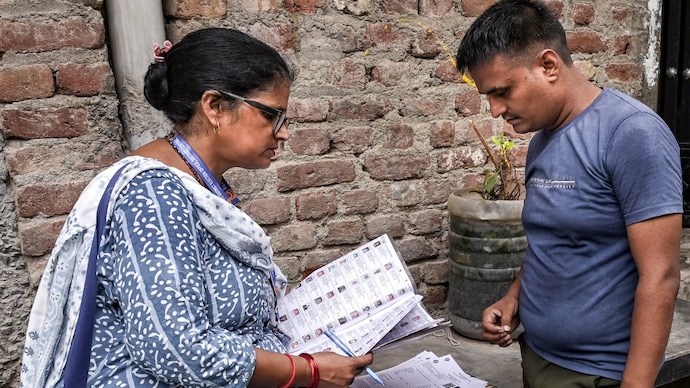

If you have already handed over your Enumeration Form to your Booth Level Officer (BLO), it is a good idea to check whether it has been uploaded on the Election Commission of India (ECI) portal. Verifying your Enumeration Form status, BLO uploaded Enumeration Form, and EPIC number verification online can help you avoid unnecessary visits to government offices later.
The process is simple, takes only a few minutes, and lets you confirm whether your form has been successfully submitted or if any action is still required.
HOW TO CHECK IF YOUR BLO HAS UPLOADED YOUR ENUMERATION FORM
STEP 1: Visit the official website
Open your browser and go to voters.eci.gov.in.
STEP 2: Open the Enumeration Form section
On the homepage, click on Fill Enumeration Form.
STEP 3: Sign up if you are a new user
If you are using the portal for the first time:
Click Sign Up.
Enter your mobile number, optional email ID, and the captcha.
Complete the registration process.
STEP 4: Log in if you are already registered
Existing users can:
- Click Login.
- Enter their mobile number and captcha.
- Select Request OTP.
- Enter the OTP and verify.
- STEP 5: Return to the Enumeration Form page
After logging in, your name will appear at the top of the page. Click on Fill Enumeration Form again.
STEP 6: Enter your EPIC number
Type your EPIC number (Voter ID number) in the designated field.
STEP 7: Search for your form
Click the Search button to check your Enumeration Form status.
ALSO READ: 53% of Delhi voters get enumeration forms as SIR exercise gathers pace
HOW TO UNDERSTAND THE RESULT
If your form has been uploaded
You will see the message:
"Your form has already been submitted with mobile number XXXXX."
This confirms that your BLO has uploaded your Enumeration Form.
If your form has not been uploaded
If no confirmation message appears and a fresh Enumeration Form page opens instead, it usually means your form has not yet been uploaded.
If the displayed details seem incorrect
If the portal shows an unfamiliar mobile number or indicates that the form has already been submitted even though you have not done so, contact your BLO without delay to get the details verified and corrected if needed.