This browser claims to block most video ads, even on YouTube: Details here
Internet browser DuckDuckGo has announced that it will now block most video ads, including those on YouTube, for free. That is, you can now watch ad-free videos on YouTube without having to buy a YouTube Premium subscription. Here is how it works.
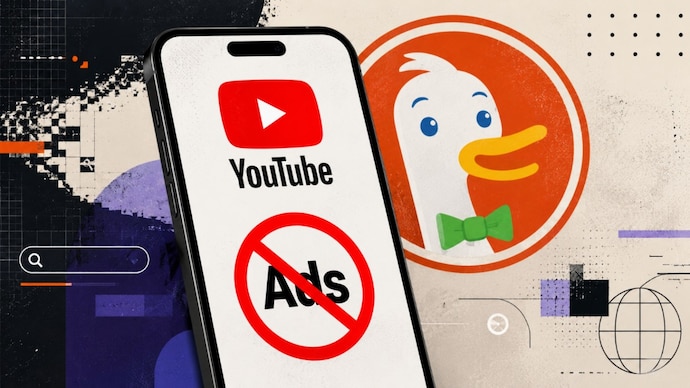
Ads can be annoying, particularly when you just want to watch a YouTube video to relax and unwind. To get rid of ads, you would need to pay at least Rs 159 per month for YouTube Premium. But now, you may have another way for an ad-free experience – DuckDuckGo. The privacy-focused browser has announced that it is now blocking most video ads online, including on YouTube, giving you the ad-free experience you wanted without any additional fees.
On X, DuckDuckGo announced that it is updating how it blocks ads. The company wrote, "New Feature Alert: YouTube Ad Blocking. Sick of ads interrupting your videos? Us, too. The DuckDuckGo browser now blocks most video ads, including on YouTube!”
Before we delve deeper into how this works, keep in mind that DuckDuckGo is not the only browser that can block YouTube ads. Browsers like Brave and Opera also come with similar ad-blocking features.
How to watch YouTube without ads on DuckDuckGo?
In its blog post, DuckDuckGo said the feature blocks ads that appear before and during videos on YouTube. That is, you can watch a video on the Google-owned platform without seeing any ads, no matter the duration of the video.
The feature is turned on by default for users on iOS, Windows and Mac. On Android, you will need to enable it via the browser settings page. DuckDuckGo says that it plans to bring ad-blocking as default on Android soon. Keep in mind that you need to have the latest version of the browser to watch ad-free videos.
As per the company, while ad blocking may lead to additional buffering times when you click on a video, you will be uninterrupted once the video loads. DuckDuckGo states that YouTube ad-blocking is done via community-driven filter lists sourced from uBlock Origin, which keep a track of how ads are shown.
You can disable or re-enable the feature at any time from the settings page. DuckDuckGo says that you can also switch it on or off while a video is playing. Apart from ad-blocking, DuckDuckGo already has its own video player that can let you watch videos without any tracking.
Google regularly updates YouTube to stop ad-blockers
Blocking YouTube ads may put DuckDuckGo on Google’s radar. The tech giant is known to aggressively push back against YouTube ad-blockers. Keep in mind that using an ad-blocker is said to be a violation of the site’s terms of service. Google also brings regular updates to YouTube that can detect or render ad-blockers ineffective.
At the time of writing, Google and YouTube had not publicly responded to DuckDuckGo’s update.
DuckDuckGo has been positioning itself as an alternative to Google for some time now, with a focus on privacy. The browser also advertises its AI-free search results, as Google doubles down on its AI Search. Though it does have optional AI features.
YouTube ad-blocking adds to DuckDuckGo’s existing set of browsing protections. These include blocking tracker-based web ads, handling cookie pop-ups and enabling global privacy control by default. Global privacy control informs websites you visit to not sell or share your personal information.
Ads can be annoying, particularly when you just want to watch a YouTube video to relax and unwind. To get rid of ads, you would need to pay at least Rs 159 per month for YouTube Premium. But now, you may have another way for an ad-free experience – DuckDuckGo. The privacy-focused browser has announced that it is now blocking most video ads online, including on YouTube, giving you the ad-free experience you wanted without any additional fees.
On X, DuckDuckGo announced that it is updating how it blocks ads. The company wrote, "New Feature Alert: YouTube Ad Blocking. Sick of ads interrupting your videos? Us, too. The DuckDuckGo browser now blocks most video ads, including on YouTube!”
Before we delve deeper into how this works, keep in mind that DuckDuckGo is not the only browser that can block YouTube ads. Browsers like Brave and Opera also come with similar ad-blocking features.
How to watch YouTube without ads on DuckDuckGo?
In its blog post, DuckDuckGo said the feature blocks ads that appear before and during videos on YouTube. That is, you can watch a video on the Google-owned platform without seeing any ads, no matter the duration of the video.
The feature is turned on by default for users on iOS, Windows and Mac. On Android, you will need to enable it via the browser settings page. DuckDuckGo says that it plans to bring ad-blocking as default on Android soon. Keep in mind that you need to have the latest version of the browser to watch ad-free videos.
As per the company, while ad blocking may lead to additional buffering times when you click on a video, you will be uninterrupted once the video loads. DuckDuckGo states that YouTube ad-blocking is done via community-driven filter lists sourced from uBlock Origin, which keep a track of how ads are shown.
You can disable or re-enable the feature at any time from the settings page. DuckDuckGo says that you can also switch it on or off while a video is playing. Apart from ad-blocking, DuckDuckGo already has its own video player that can let you watch videos without any tracking.
Google regularly updates YouTube to stop ad-blockers
Blocking YouTube ads may put DuckDuckGo on Google’s radar. The tech giant is known to aggressively push back against YouTube ad-blockers. Keep in mind that using an ad-blocker is said to be a violation of the site’s terms of service. Google also brings regular updates to YouTube that can detect or render ad-blockers ineffective.
At the time of writing, Google and YouTube had not publicly responded to DuckDuckGo’s update.
DuckDuckGo has been positioning itself as an alternative to Google for some time now, with a focus on privacy. The browser also advertises its AI-free search results, as Google doubles down on its AI Search. Though it does have optional AI features.
YouTube ad-blocking adds to DuckDuckGo’s existing set of browsing protections. These include blocking tracker-based web ads, handling cookie pop-ups and enabling global privacy control by default. Global privacy control informs websites you visit to not sell or share your personal information.

