How to download your PAN card online
Users can download a legally valid e-PAN online by entering their details and completing OTP verification. The digital copy helps with tax, banking and KYC tasks while reducing dependence on the physical card.
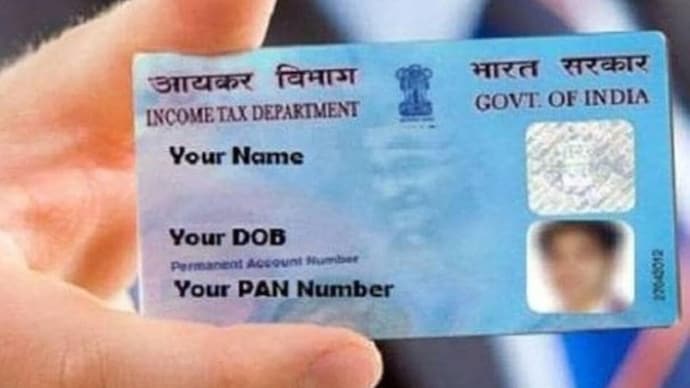
Your Permanent Account Number (PAN) card is an essential document for filing income tax returns, opening bank accounts, investing, and completing various financial transactions. If you've misplaced your physical PAN card or need a digital copy, you can download an e-PAN online in just a few minutes. Here's a step-by-step guide.
WHAT IS AN E-PAN?
An e-PAN is a digitally signed electronic version of your PAN card issued by the Income Tax Department. It is legally valid and can be stored on your smartphone or computer for easy access.
STEP 1: VISIT THE OFFICIAL WEBSITE
Go to the official website of the PAN issuing agency or the Income Tax Department's e-filing portal to download your e-PAN.
STEP 2: SELECT THE E-PAN DOWNLOAD OPTION
Look for the 'Download e-PAN' or 'Instant e-PAN' service on the homepage and click on it.
STEP 3: ENTER YOUR DETAILS
Provide the required information, which may include:
PAN number
Aadhaar number (if applicable)
Date of birth
Captcha code
Ensure all the details match your PAN records.
STEP 4: VERIFY USING OTP
An OTP will be sent to your registered mobile number or email ID linked with your PAN or Aadhaar. Enter the OTP to verify your identity.
STEP 5: DOWNLOAD YOUR E-PAN
Once your details are verified, your e-PAN will be generated or made available for download. Save the PDF securely on your device. In some cases, the PDF may be password-protected.
HOW TO OPEN A PASSWORD-PROTECTED E-PAN
If your downloaded e-PAN is password-protected, the password is usually:
Your date of birth in DDMMYYYY format (for individuals).
For example, if your date of birth is 15 August 1995, your password will be 15081995.
BENEFITS OF KEEPING AN E-PAN
Easy to access anytime on your phone or laptop.
Accepted for most financial and KYC purposes.
Helps if your physical PAN card is lost or damaged.
Can be stored securely in DigiLocker or other secure digital storage apps.
THINGS TO KEEP IN MIND
Download your e-PAN only from official government websites.
Ensure your mobile number and email ID are updated to receive OTPs.
Do not share your PAN details or OTP with anyone.
Keep a backup copy of your e-PAN in a secure location.
Downloading your PAN card online is a quick and convenient process that takes only a few minutes. Having an e-PAN readily available ensures you can complete banking, tax, and KYC-related tasks without waiting for a physical card. Always use official government portals and protect your PAN details from misuse.
Your Permanent Account Number (PAN) card is an essential document for filing income tax returns, opening bank accounts, investing, and completing various financial transactions. If you've misplaced your physical PAN card or need a digital copy, you can download an e-PAN online in just a few minutes. Here's a step-by-step guide.
WHAT IS AN E-PAN?
An e-PAN is a digitally signed electronic version of your PAN card issued by the Income Tax Department. It is legally valid and can be stored on your smartphone or computer for easy access.
STEP 1: VISIT THE OFFICIAL WEBSITE
Go to the official website of the PAN issuing agency or the Income Tax Department's e-filing portal to download your e-PAN.
STEP 2: SELECT THE E-PAN DOWNLOAD OPTION
Look for the 'Download e-PAN' or 'Instant e-PAN' service on the homepage and click on it.
STEP 3: ENTER YOUR DETAILS
Provide the required information, which may include:
PAN number
Aadhaar number (if applicable)
Date of birth
Captcha code
Ensure all the details match your PAN records.
STEP 4: VERIFY USING OTP
An OTP will be sent to your registered mobile number or email ID linked with your PAN or Aadhaar. Enter the OTP to verify your identity.
STEP 5: DOWNLOAD YOUR E-PAN
Once your details are verified, your e-PAN will be generated or made available for download. Save the PDF securely on your device. In some cases, the PDF may be password-protected.
HOW TO OPEN A PASSWORD-PROTECTED E-PAN
If your downloaded e-PAN is password-protected, the password is usually:
Your date of birth in DDMMYYYY format (for individuals).
For example, if your date of birth is 15 August 1995, your password will be 15081995.
BENEFITS OF KEEPING AN E-PAN
Easy to access anytime on your phone or laptop.
Accepted for most financial and KYC purposes.
Helps if your physical PAN card is lost or damaged.
Can be stored securely in DigiLocker or other secure digital storage apps.
THINGS TO KEEP IN MIND
Download your e-PAN only from official government websites.
Ensure your mobile number and email ID are updated to receive OTPs.
Do not share your PAN details or OTP with anyone.
Keep a backup copy of your e-PAN in a secure location.
Downloading your PAN card online is a quick and convenient process that takes only a few minutes. Having an e-PAN readily available ensures you can complete banking, tax, and KYC-related tasks without waiting for a physical card. Always use official government portals and protect your PAN details from misuse.

